

TREASURY ONLINE BANKING UPGRADE BUSINESS CENTER
What’s New in Business Online Banking
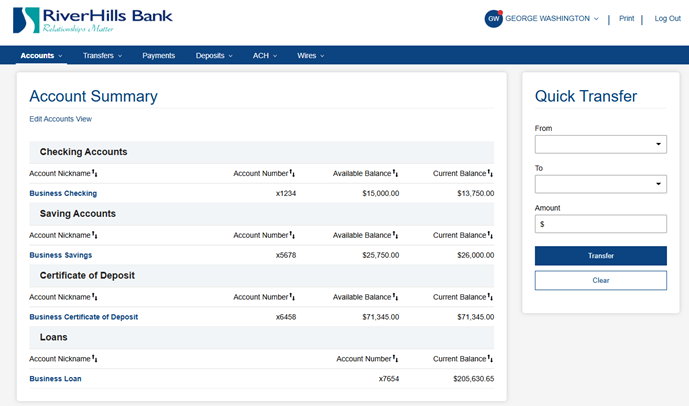
A More Modern, Intuitive Interface
The updated platform includes the same core features you rely on today, delivered through a cleaner, more intuitive experience.
Easier oversight of roles, entitlements, and permissions
Simplified ACH and Wire processing
Import and export capabilities with QuickBooks® and Quicken®
We’ll share helpful resources along the way, and our Treasury team will be here to support you so you feel comfortable and confident with the new changes.
Mobile Access for Business Users
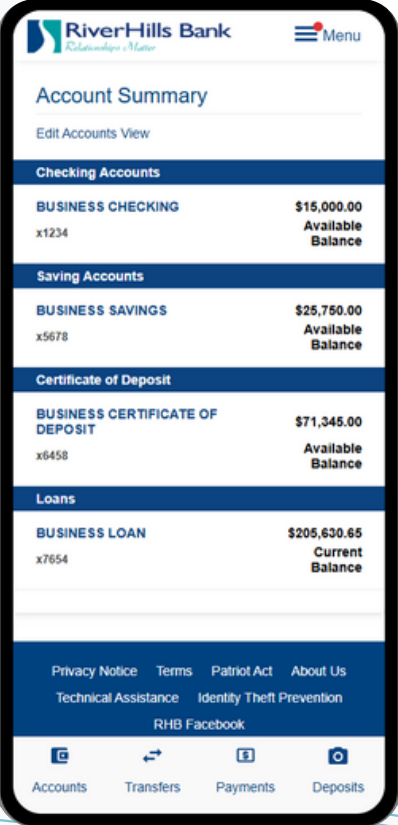
Your business online banking is now available through a mobile app, giving you the ability to stay connected to your accounts even when you’re away from your desk.
View account balances and transaction history in real time
Make mobile deposits with your camera
Process internal transfers between accounts
Initiate and approve ACH transactions* and wire transfers on the go
The mobile app is designed to complement desktop banking, giving you convenient access to key tasks while maintaining the same permissions and controls your business relies on.
Upgrade Timeline & Service Availability
RiverHills Bank will be completing an upgrade to its business online banking experience beginning the morning of Friday, March 6. This upgrade will take place over the weekend, with full access expected to resume by Monday, March 9 at 10:00 a.m.
During this period, access to certain business banking services will be temporarily unavailable. We strongly encourage reviewing the information below to plan ahead for any time-sensitive activity.

FRIDAY, MARCH 6 UPGRADE BEGINS
Business online banking services will become unavailable beginning the morning of Friday, March 6 as the upgrade process begins.
ACH transactions, wire transfers, and Remote Deposit Capture will not be available.

SATURDAY & SUNDAY, MARCH 7–8 UPGRADE IN PROGRESS
The system upgrade will continue throughout the weekend.
Business online banking access will remain unavailable during this period. No inquiries or transactions can be completed online.

MONDAY, MARCH 9 – ACCESS RESTORED
Access to business online banking is expected to resume by 10:00 a.m. on Monday, March 9.
Once access is restored, you can log in to the updated experience.
Plan Ahead
To avoid delays, please ensure any critical activity is completed prior to the start of the upgrade window.
This includes payroll, vendor payments, wire transfers, and deposit activity that must be processed before the weekend. Debit card transactions will continue to process during the maintenance period.
If you have an urgent transaction on Friday, March 6, please email treasury@rhb24.com. Our Treasury team will be available to assist and provide guidance during the upgrade.
Digital Banking Tutorials and Demos
Explore easy, self-guided walkthroughs that show you how to complete everyday tasks through the new and improved Treasury and Business Online Banking experience.

Business Online Banking

Business MOBILE Banking
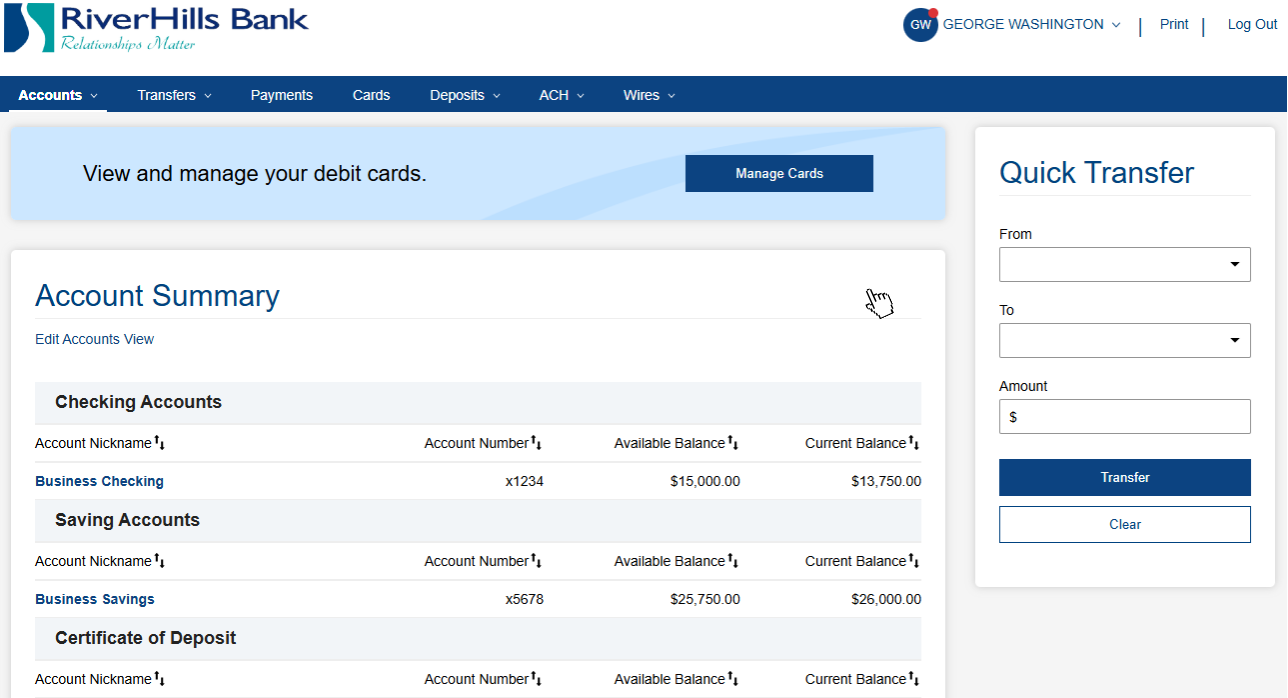
Business Online Banking DEMO
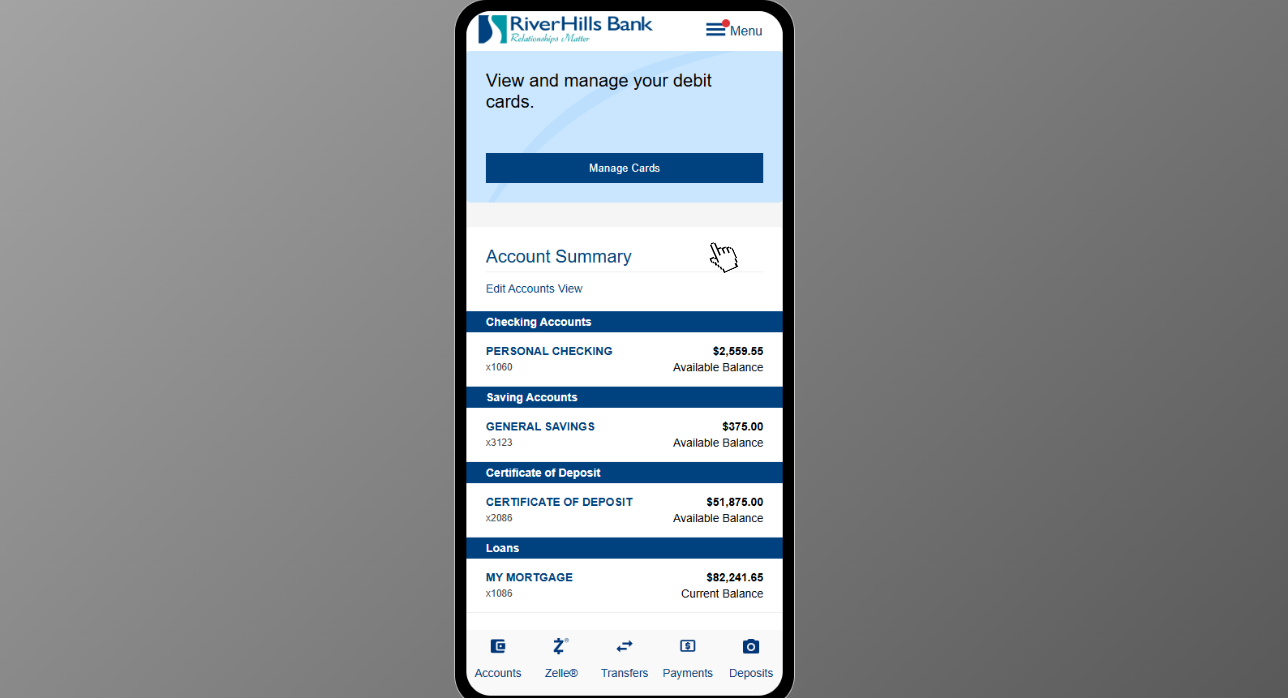
Business MOBILE Banking DEMO
How to Prepare for the Upgrade
Before the upgrade begins, please complete the following:
Complete any critical payroll, ACH, wire, or vendor payments prior to the upgrade window beginning March 6th.
Save any Internal Transfer Templates and ACH batch history before March 6th.
Review and save details for recurring or future-dated ACH and wire payments that will need to be reestablished after the upgrade.
Confirm that we have your current mobile phone number on file prior to March 6th, 2026, to ensure a smooth first-time login experience.
Be prepared to complete the One-Time Password (OTP) verification and Token Re-Enablement process when logging in for the first time after the upgrade.
Download the new app after the upgrade if you initiate ACH or wire transactions:
FI DigiPass for Apple Devices
DigiPass for Android Devices
Detailed instructions for token setup are available in the Business Upgrade Experience Quick Start Guide.
Taking these steps in advance will help minimize disruption and ensure uninterrupted access to your business banking services.
-
As we transition to our upgraded Business Online Banking platform, most of your information and services will move seamlessly to the new system. Below is an overview of what you can expect.
What Will Transfer
Account transaction history
Bill Pay payee information
Scheduled Bill Pay payments
Recurring and scheduled internal transfers
ACH Templates
Wire payees
eStatement preferences
Merchant Deposit (RDC) settings
Positive Pay settings
User access and entitlements
You will continue to access your accounts, initiate transactions, and manage users as you do today — now within a more modern, streamlined experience.
What Will Not Transfer
Internal Transfer Templates
ACH batch history
Recurring and future-dated ACH payments
Recurring and future-dated wire payments
Bill Pay history
Please ensure any necessary templates or historical records are saved prior to conversion.
Recurring ACH and wire payments will need to be reestablished once the upgraded system
is live. We recommend saving frequently used transactions as templates moving forward.
Settings That May Need to Be Re-Established
While most of your services will transfer, some personalized settings may need to be set up again after login, including:
Account alerts
Card controls
Notification preferences
This is a great opportunity to review and customize your digital banking experience.
-
When logging in for the first time after the upgrade, you may notice the following updates:
Enter your existing Username.
Verify your identity using a one-time code sent to your mobile phone or email address.
Follow the on-screen prompts to complete the updated login and security setup process.
Our new login page supports both personal and business accounts. You will no longer select a separate “Business” button when signing in.
If you currently use the DigiPass for business banking app, it will no longer be used after the upgrade.
Users who initiate ACH or wire transactions will be prompted to complete setup of the new FI DigiPass/DigiPass app. Details are provided in the New Token Enrollment Instructions section below.
Please ensure we have your current mobile phone number on file prior to March 6th, 2026, to avoid delays during first login.
-
If you currently use DigiPass for business banking to log in or to approve ACH or wire transactions, it will be replaced with the FI DigiPass/DigiPass app after the upgrade.
Users who rely on a token today will complete a one-time enrollment in the new app to continue accessing Business Online Banking securely. If you do not currently use a token on your phone to login or initiate ACH or wire transactions, no additional action is required.
What to Expect
The FI DigiPass/DigiPass app must be downloaded from your device’s app store.
Enrollment takes approximately five minutes.
Setup requires access to both your computer and mobile phone.
Enrollment will be available beginning Monday, March 9, and cannot be completed prior to the system upgrade.
Once enrollment is complete, the FI DigiPass/DigiPass app will be used to securely approve ACH and wire transactions.
For detailed, step-by-step instructions, please refer to the Soft Token Setup Guide.
-
Wire payments are now organized by payment type, with recipients managed in a centralized Wire Payee list.
Existing wire templates will migrate to the new system and will be saved as Wire Payees. This means your beneficiary information will carry over and be stored in your centralized payee list.
You can think of your Wire Payee list as an address book — a place where your saved wire recipients are stored in one centralized location for easy reuse.
When initiating a wire, you will now select the appropriate funding account from your available account list at the time of payment.
Instead of re-entering beneficiary details or using traditional wire templates, you will:
Add and save recipients once in your Wire Payee list
Select saved payees when sending Single Wires
Send Multiple Wires to saved payees in a batch-style format
Use One-Time Wire when sending to a recipient not saved in your payee list
This updated structure replaces the previous wire template function and streamlines the wire process by separating recipient management from payment initiation.
By storing wire payees in one centralized location, updates can be made once and reused, reducing repetitive data entry and improving efficiency.
-
ACH payments are now supported by a centralized ACH Participant list.
You can think of ACH Participants as your ACH address book — a master list of recipients that can be reused across multiple templates and payments.
Existing ACH templates will migrate to the new system. However, templates will now reference participants from this centralized list rather than storing recipient details within each template.
This means:
Add a participant once and reuse them across multiple templates
Update a participant’s information in one place
Changes automatically apply everywhere that participant is used
Templates will continue to be used for recurring payments, payroll, vendor batches, and other ACH activity — but recipient management is now streamlined through the Participant list.
This updated structure improves consistency and reduces the need to update the same recipient information in multiple places.
-
ACH and wire transactions that require approval are now organized within their transaction activity screens in Business Online Banking and the mobile app.
To locate pending items:
Wire Approvals: Navigate to Wires → Wire Activity
ACH Approvals: Navigate to ACH → ACH Activity
From the activity screen, you can view transaction details, monitor status, and approve or reject items as needed.
-
Positive Pay functionality remains the same — it has simply moved to a new location within Business Online Banking.
You will now find Positive Pay under Risk Management Services in both the desktop and mobile experience.
All existing Positive Pay features and processes remain unchanged.
Business Experience Quick Start Upgrade Guide
RiverHills Bank is updating its business online banking experience. This guide provides an overview of what to expect during the go-live period, including temporary service availability, changes you may notice when you log in, and exciting new features.
It is designed to help you understand what’s changing, identify any actions that may be required, and navigate the updated experience with confidence.
Attention QuickBooks & Quicken Users
This upgrade will require that you make changes to your QuickBooks or Quicken software. Please read the conversion instructions and corresponding action dates to ensure a smooth transition.
1st Action Date: March 6, 2026
A data file backup and a final transaction download should be completed by this date. Please make sure to complete the final download before this date since transaction history might not be available after the upgrade.
2nd Action Date: March 9, 2026
This is the action date for the remaining steps on the conversion instructions. You will complete the deactivate/reactivate of your online banking connection to ensure that you get your current Quicken or QuickBooks accounts set up with the new connection.
Intuit aggregation services may be interrupted starting on March 6th for up to 3-5 business days. Users are encouraged to download a QFX/QBO file during this outage.
Need Help?
Our goal is to make this transition clear, organized, and comfortable for your business.
If you have questions about the upgrade, token enrollment, ACH or wire services, or first-time login, our Treasury team is here to help.
We’ll continue sharing helpful resources and walkthroughs to guide you through the updated experience. You’re not navigating these changes alone — we’re here to support you every step of the way.